
Why artwork errors hold up packaging jobs
When a pouch, sachet or wrap is moving into production, the artwork has to be ready for plate making, proofing and press setup. If the file arrives with missing fonts, the wrong trim size or unclear artwork notes, the job often pauses while those points are corrected. That can push out dispatch dates and create extra back and forth for everyone involved.
For local brands in Pinetown, Durban or farther afield, the pressure is often on lead time. A simple correction might only take a few minutes on paper, but if it is caught after proofing it can affect ink setup, repeat production and the schedule for other jobs on the line.
Most artwork errors are not dramatic. They are small layout issues that show up only when the file is checked carefully. The good news is that they can usually be avoided with a proper preflight routine and a clear handover between the designer and the production team.
Bleed, trim and safe area are often mixed up
One of the most common problems is confusion around bleed, trim and the safe area. Bleed is the extra image area that extends past the cut line. Trim is where the package will be cut. The safe area is the part where text and key graphics should sit so they do not land too close to the edge or seal area.
If a logo is placed too close to the cut line, it may end up looking cramped or clipped once the final pack is made. On wraps and sachets this is especially important because the artwork often runs close to the edge and any small shift becomes visible. On pouches, the seal zones need to stay clear so important text is not lost in the finshing stage.
- Keep bleed consistent on all sides of the layout.
- Leave clear space around text, barcodes and legal copy.
- Check the final dieline size before sending artwork.
- Make sure the safe area matches the actual pack shape, not just the screen view.
Fonts, line weight and readability on press
Artwork may look neat on a laptop screen but fail once it is reduced for a sachet or narrow wrap. Small type can fill in, thin lines can disappear and reversed text can become hard to read. This is a common issue with details like batch spaces, ingredients panels, handling notes and barcodes.
Fonts also need to be handled correctly. If a file is sent with fonts that are not embedded or outlined, the text can change on another computer or when the file is opened in production. That is a simple mistake but it can alter spacing, line breaks and even the way a brand name sits on the pack.
- Use type sizes that remain readable at the final print size.
- Avoid very thin fonts for small copy or fine legal text.
- Convert fonts properly before sending artwork for checking.
- Leave enough room for barcode quiet zones and scan space.
Colour expectations need proofing, not assumptions
Colour is another area where artwork can create delay. What looks rich on a screen does not always print the same way on film, board or laminate. Flexo printing uses process control, ink adjustment and press conditions that can shift the final result. If a brand expects a very specific shade, it is better to discuss that early than to assume the on-screen version will match.
Local conditions can also matter. In coastal areas like Durban and Ballito, humidity can affect handling and drying times, while inland jobs may face different storage and transport conditions. A colour approved in one environment may look a touch different after it has moved through production, dispatch and storage.
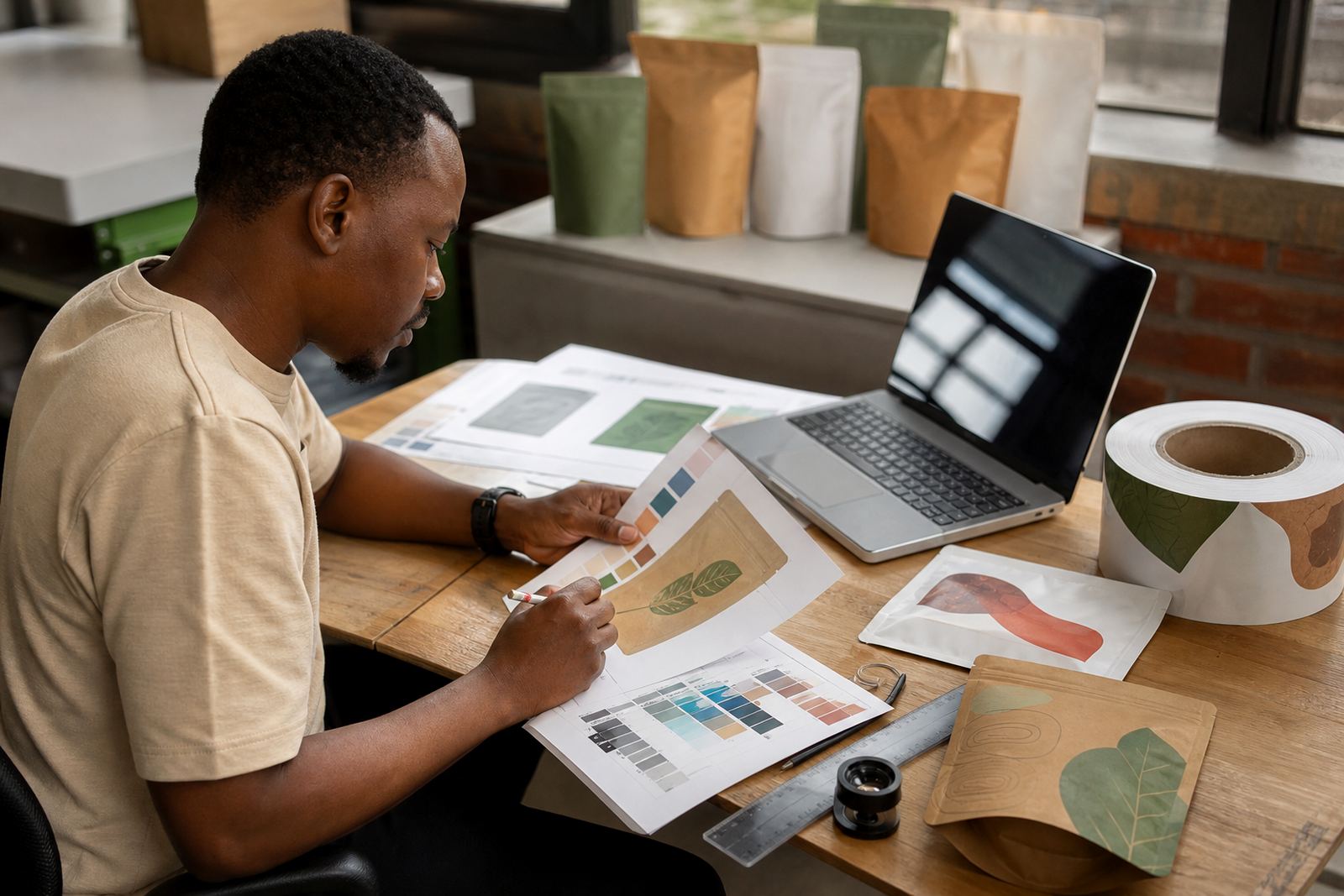
Good colour matching starts with a realistic reference and a proper proof. It also helps when the artwork file clearly identifies spot colours, special blacks and any areas where colour consistency is especially important. A rushed file with no notes can turn a simple approval into several rounds of corrections.
Artwork errors that often appear in packaging files
Some problems show up again and again when files are submitted for flexible packaging. They are easy to miss if the artwork is only checked visually and not against the dieline and production notes.
- Missing dieline or the wrong version of the cut shape.
- Low-resolution images that soften when enlarged.
- Body copy placed across seals, folds or weld areas.
- Incorrect barcode size or poor contrast against the background.
- Spelling errors in ingredients, pack instructions or product names.
- Wrong colour build for a brand element that must stay consistent.
- Artwork supplied in the wrong dimensions or orientation.
A short run order can sometimes absorb a minor correction, but repeat production depends on consistency. If the first approved file is not correct, the same issue can follow the brand across every later batch. That is why a clean master file matters just as much as the print run itself.
A Pinetown example: one sachet file, three avoidable issues
A food brand in Pinetown may send artwork for a sachet line and feel ready to go because the graphics look sharp on screen. During review, three common issues appear: the barcode sits too close to the edge, the small text is below practical reading size, and the product panel does not allow for the seal area. None of these are difficult to fix, but each one can hold up approval.
Once the layout is adjusted, the pack becomes easier to print, easier to inspect and easier to dispatch. That saves time for the client and the production team. It also reduces the risk of rework, which matters when the product has to move from Pinetown to Durban, Johannesburg or Cape Town on a fixed schedule.
In practice, the best artwork files are the ones that are simple to check. They show the final size, use the correct dieline, keep text clear and avoid last minute changes after proofing. That kind of preparation is what keeps production moving, especially when municipal delivery windows, transport timing and retail deadlines all line up at once.
A tighter artwork check before approval saves time
Before a file is signed off, it helps to do a final check with production in mind rather than design in mind. Ask whether the artwork still reads clearly at the final size, whether the barcode scans properly, and whether every colour and text element is placed where it should be. Small corrections at this stage are much easier than changes after plates or proofs are already underway.
For brands printing flexible packaging across South Africa, that final check often decides whether a job moves smoothly or gets stuck in revision. A careful file saves time, avoids rework and keeps repeat production on track. It is a small step, but it makes a real difference when the pack has to hold up from approval to dispatch.
- Confirm the latest artwork version before submission.
- Check size, bleed and safe area against the dieline.
- Review colour notes, text and barcode placement.
- Allow time for proofing before the production slot.